Download YouTube videos with VideoGet
 With VideoGet you can easily download YouTube videos. VideoGet also supports downloads from more than 600 other video websites, including popular YouTube, MySpace, Google Video, Yahoo Video, MetaCafe, etc.
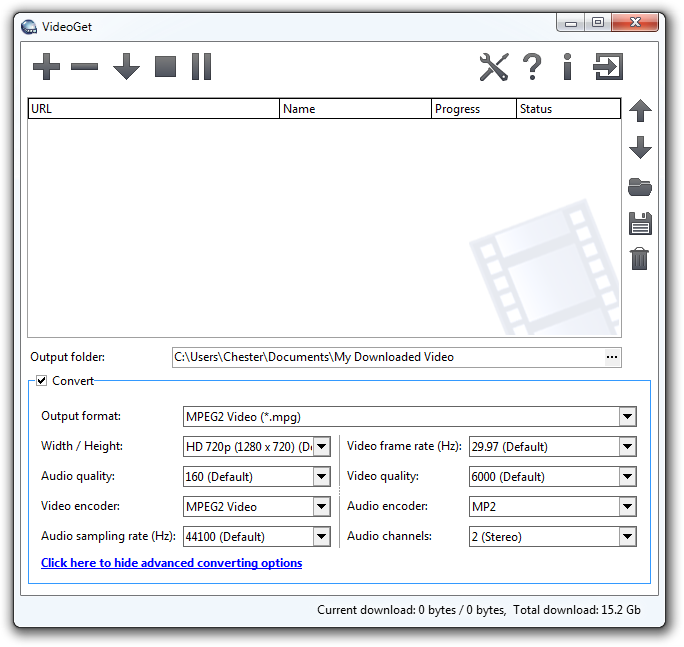
Most of these video websites store video in FLV format. A lot of people don't know how to playback these files. VideoGet provides a possibility to convert such video into most popular formats for more comfortable playback. VideoGet allows you to convert YouTube video to 3GP, AVI, MPEG1, MPEG2, WMV, FLV, MP4, MP3 and more than 20 other file formats. This lets you not only view it, but also put it into your iPod Video, iPhone, Zune, PSP, mobile phone or any other portable device. Furthermore you can customize video/audio quality, video frame rate, width / height and audio sampling rate.
Which websites does VideoGet support?
With VideoGet you can download video from:
- Download from YouTube,
- Download from Google Video,
- Download from Yahoo Video,
- Download from MySpace,
- Download from DailyMotion,
- and a lot more...
Click here to see full list.
VideoGet features
- Downloads video from YouTube and more than 600 video websites. Click here to see the full list of supported websites
- Converts video to variety of video formats (*.AVI, *.MPG, *.WMV, *.FLV, *.MP4, *.3GP, *.RM, *.MOV, *.MP3, *.WAV)
- Converts video for any portable video device (iPhone, iPod Video, iPod Nano, iPod Touch, PSP, Zune, iRiver Clix, AppleTV)
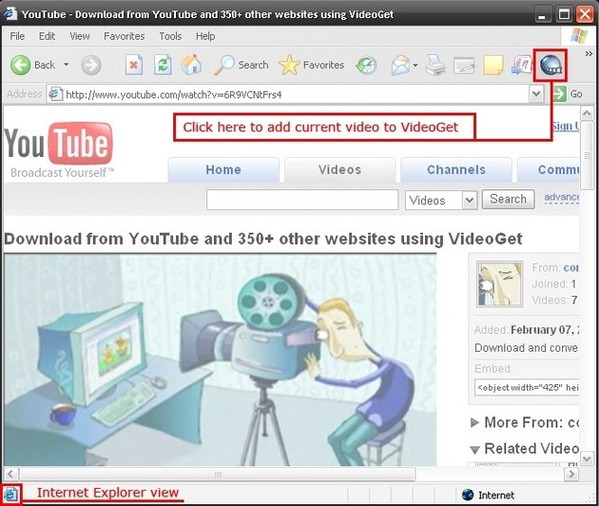
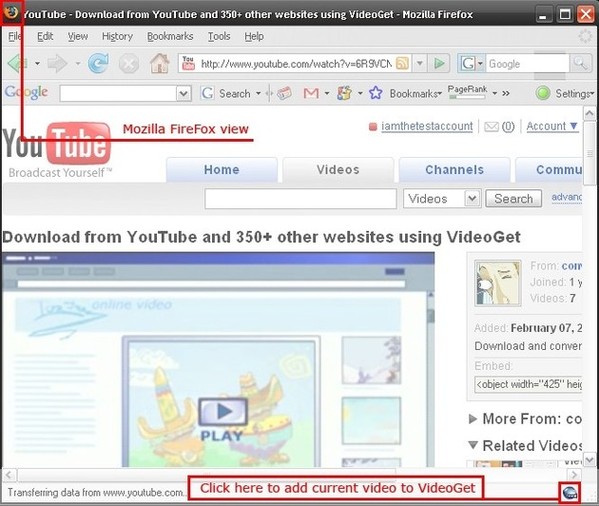
- One-click-download-convert. Comes with plugins for Internet Explorer and Mozilla FireFox browsers
- Script auto-updater allows you to be always in touch with latest version
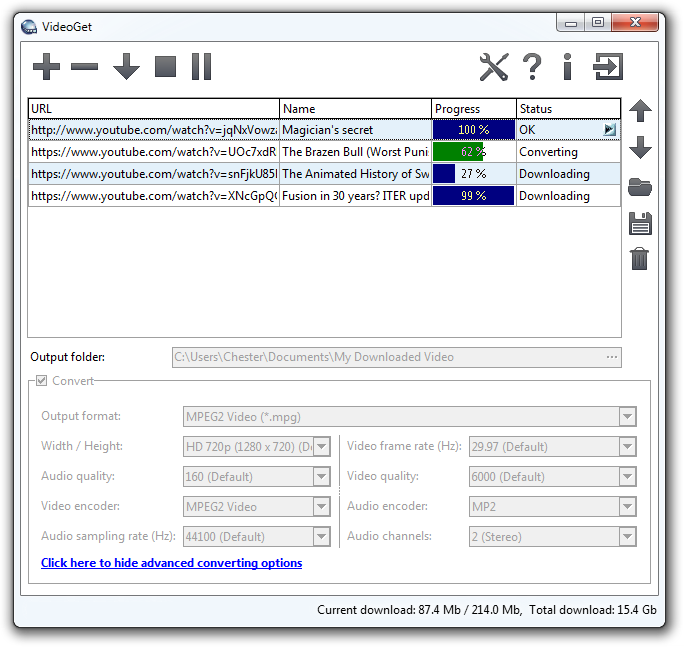
- Simultaneous download supported. To make the download faster, VideoGet allows you to download up to 20 videos at the same time
- "Download while converting" feature automatically starts downloading the next video while the previous one is being converted.
- Simultaneous converting of multiple files allows to convert up to 10 videos at the same time.
- Download from YouTube in high-quality with a new "YouTube in HQ" feature.
- Auto remove downloaded files from the list. VideoGet will automatically remove all downloaded files from the list after you close the program.
- Download from MMS protocol MMS streaming media protocol supported.
- Download from RTMP, RTSP protocols
- Download works through WinInet API, which is used by Internet Explorer, allows easy and fast download of Flash movies
- Allows to downloading in a batch mode with ability to save / load batch
- Allows to pause / resume all downloads or individual files per row.
- Can resume broken download instead of downloading file from the beginning
- Ability to login on YouTube due to inappropriate videos for which we need to prove we are 18+ years old
- Automatically detects which online video service you are attempting to download from
- Broken website report. Notify us about broken website by pressing a single button, and our team will fix it as soon as possible.
- Ability to setup width / height, video / audio quality, video frame rate and audio sampling rate of encoded video
- Small and compact
- Designed with "Easy-to-Use" concept. Nice, simple interface and a solid amount of options
- Works on Windows NT / 2000 / XP / Vista / Windows 7 / 8 / 8.1 / 10 / 11
- Works with all types of Internet connection
- Supported languages: Arabic, Български, Český, Dansk, Nederlands, English, Français, Deutsch, Ελληνικά, ქართული, עברית, Magyar, Italiano, 日本語, 한국어, 简体中文, 繁體中文, Norsk, Polski, Português do Brasil, Română, Русский, Español, Svenska, Slovenščina, Türkçe, Українська.
Product Screenshots
Keywords
Download YouTube Video
Capture YouTube Video
Record YouTube Video
Rip YouTube Video
Save YouTube Video
Copy YouTube Video
Grab YouTube Video
YouTube Downloader
YouTube Grabber