How to activate VideoGet
So, you have purchased VideoGet and received your activation key via email.
But you can't find where in application you can enter your activation key.
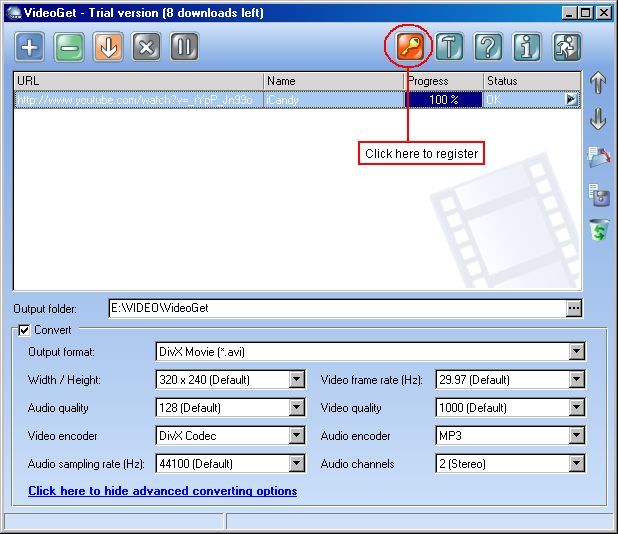
Step 1. Click on "Order now" button. As on picture below:
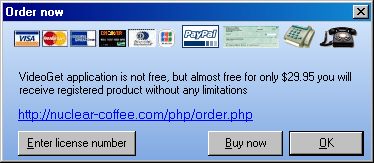
Step 2. Click on "Enter license number"
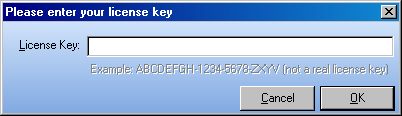
Step 3. And then simply enter your (paste) for license key and click OK
If you did not recieve your activation key via email or just lost it - you can simply retrieve it